
入门指南
1. 注册账号并登录
Section titled “1. 注册账号并登录”- 在https://api.easytakeai.com上注册账号并登录
2. 创建API Key
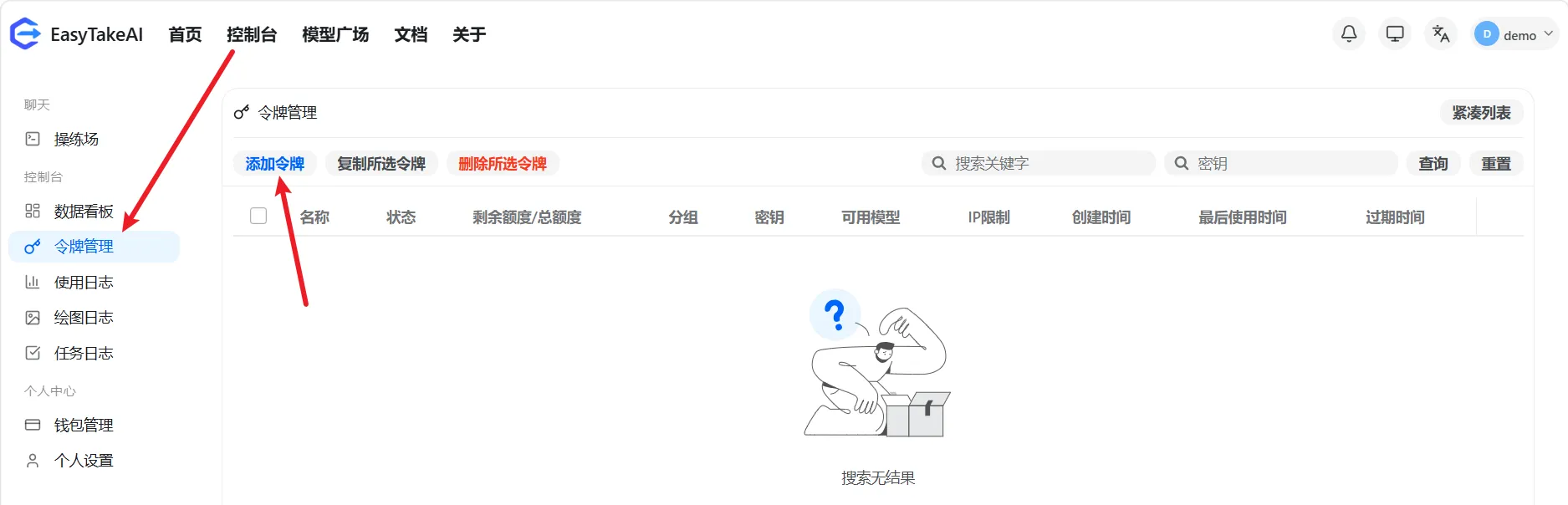
Section titled “2. 创建API Key”- 来到Token管理页面,点击创建Token
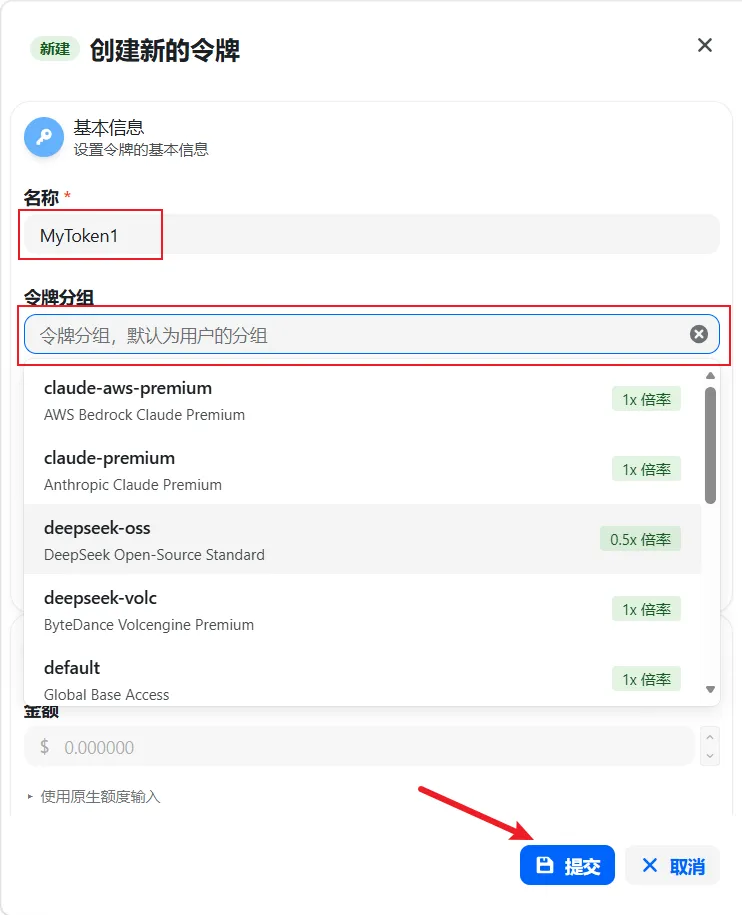
- 填写token名称,选择token将调用的模型所在的分组,点击提交
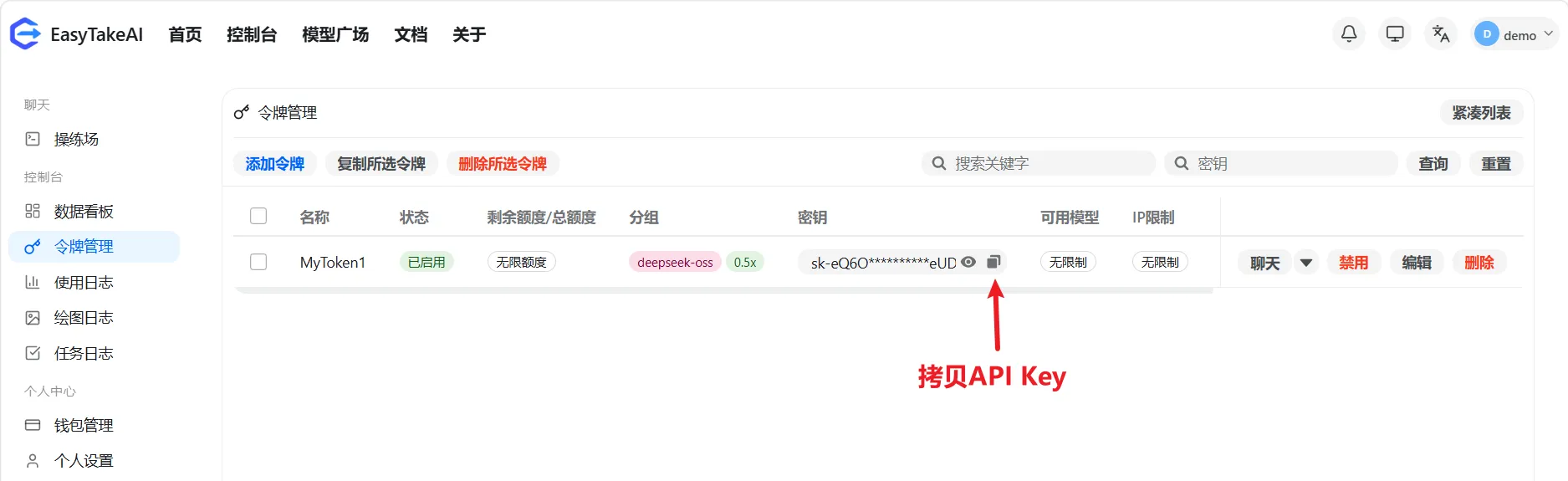
- 拷贝API Key
3. 在API调用中使用API Key
Section titled “3. 在API调用中使用API Key”- cURL请求:
Terminal window curl https://api.easytakeai.com/v1/chat/completions \-H "Content-Type: application/json" \-H "Authorization: Bearer sk-eQ6O83tXhCdfzv9zvwoUo8LUcrQgzR6w0CDURx3GK8VGeUDX" \-d '{"model": "deepseek-v4-flash","messages": [{"role": "user", "content": "你好!"}],"temperature": 0.7}'